Kimet Planning 2.0
Kimet Planning has been completely redesigned to help you prepare, track and analyze your season with greater clarity. A cleaner interface, more direct workflows and access from mobile, tablet and desktop.
- Keep all your data
- Sign in with your usual account
- No migration required
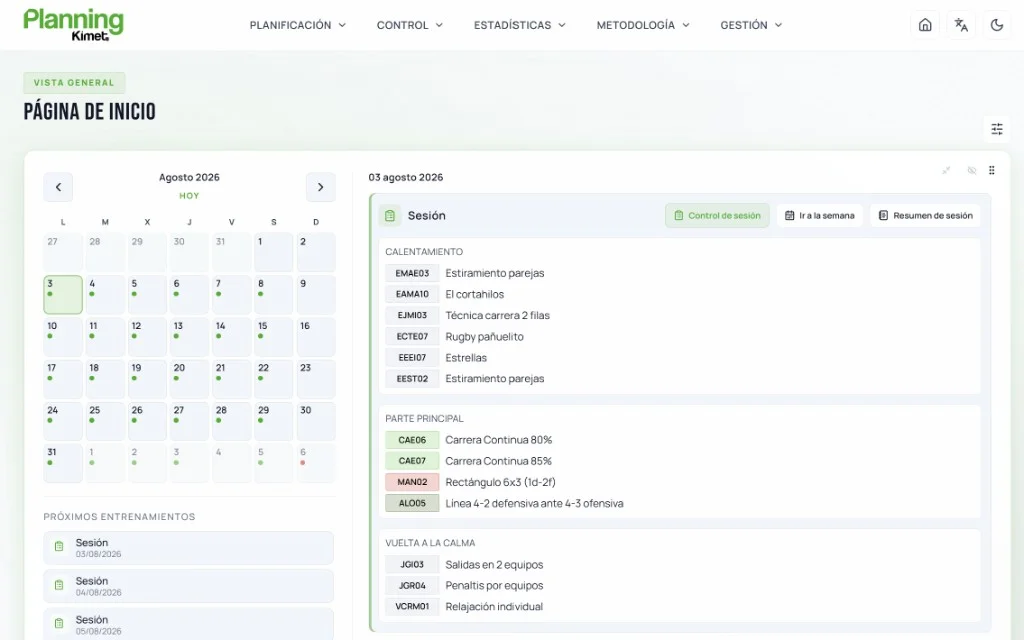
New interface
Less visual noise, more room to work.
We have completely redesigned the Kimet Planning interface to provide a cleaner, more intuitive experience that's easier to navigate. Simplified navigation makes every section easier to access and helps you work more comfortably on any device.
- Adapted to mobile, tablet and desktop
- Light mode
- Dark mode
- Simplified navigation
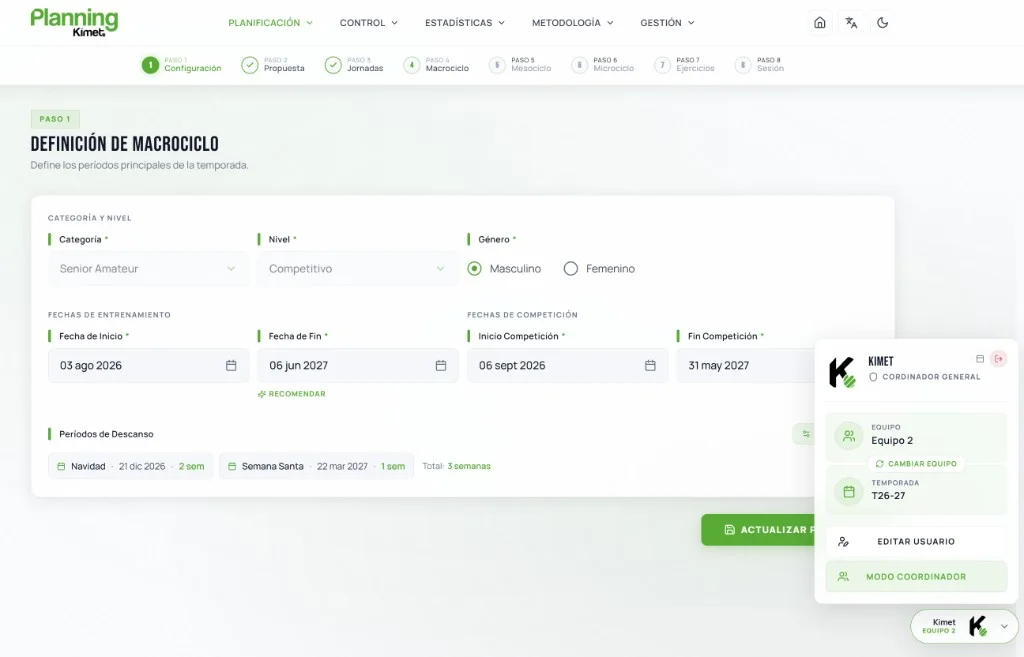
Renewed planning
Everything you already know, now simpler.
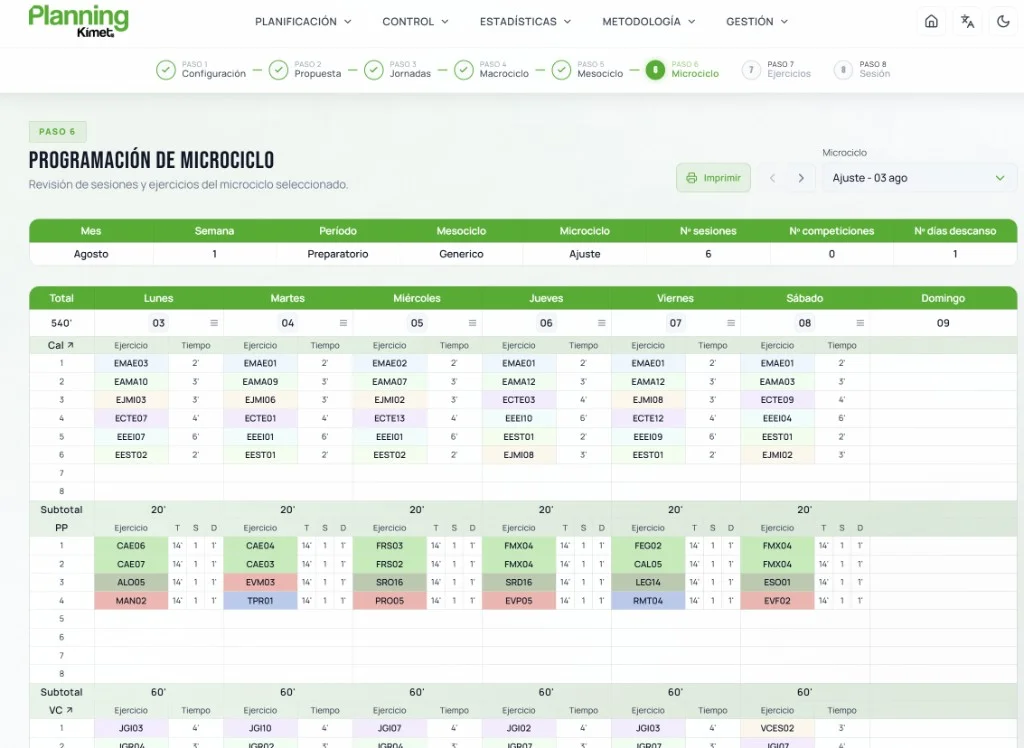
Season, mesocycle and session planning now gives you a clearer view of your work. Define your team's category and level, set the competitive period, and configure league fixtures and pre-season matches from a single screen. We have also improved training-day management and load logic so you can adjust, reorganize and fine-tune your plan much faster.
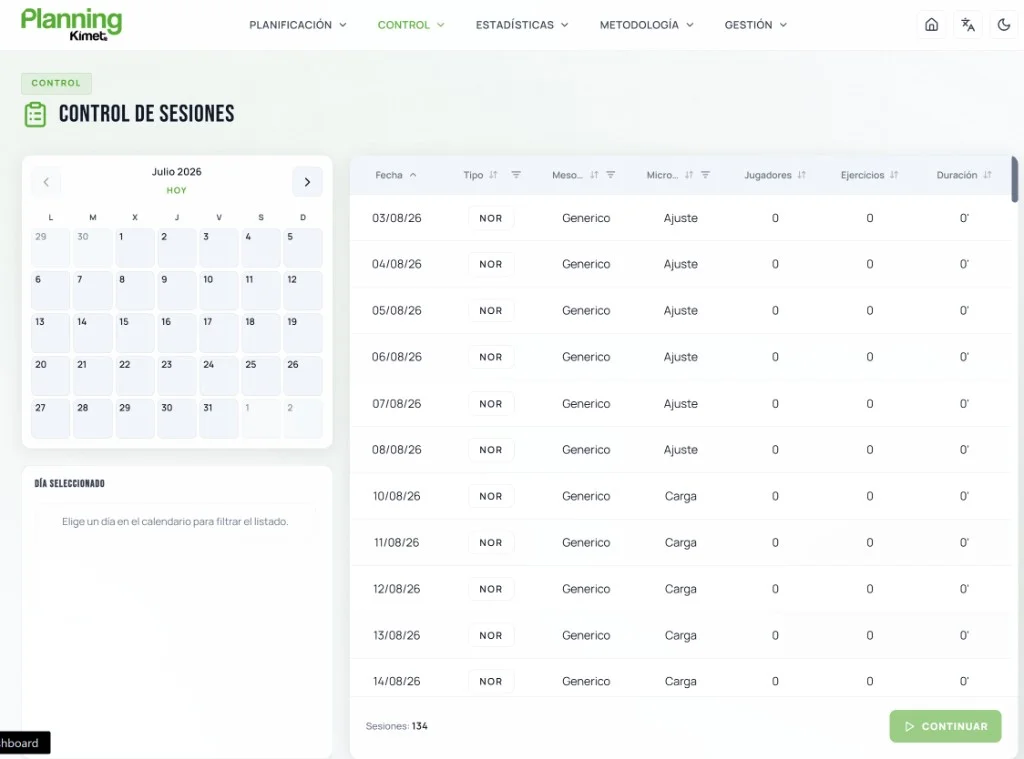
Control
Record what was done directly from your plan.
Training and match control is integrated with your plan so you can record and review what was done directly from each session. Manage player attendance from one place, reducing clicks and unnecessary steps.
Statistics
A new way to analyze your work.
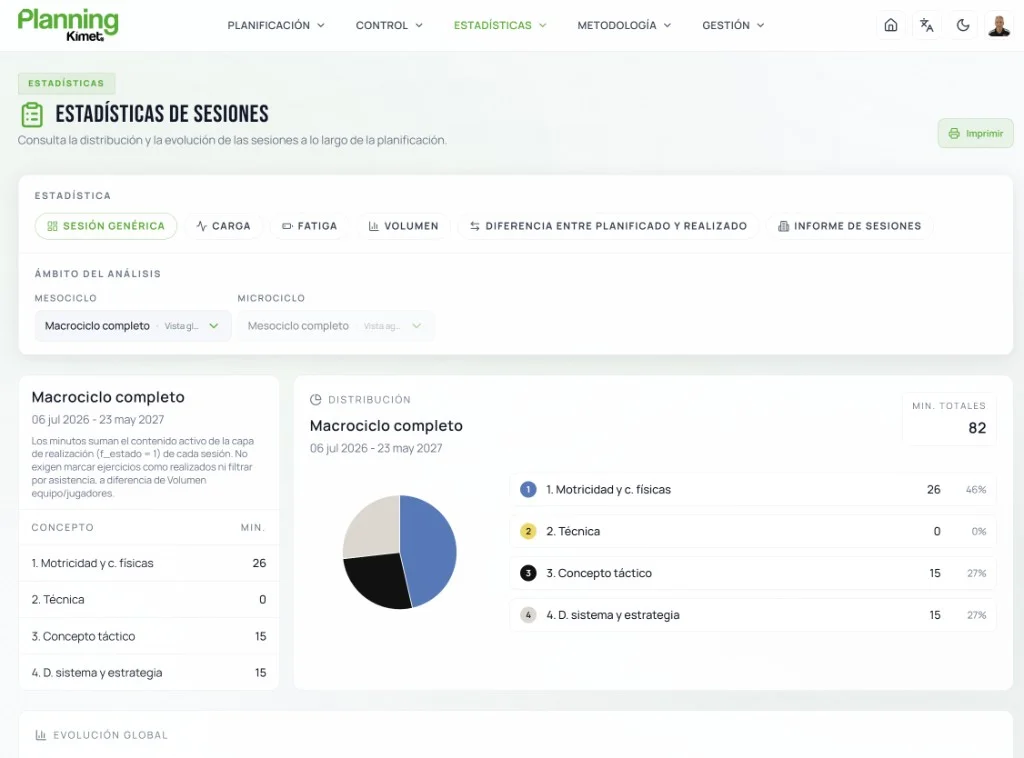
Statistics now include new views for reviewing sessions, workload and performance using the information you already record in Kimet Planning. Session reports update in real time as you select the variables and players you want to analyze.
Club management
Everything you need to manage your club.
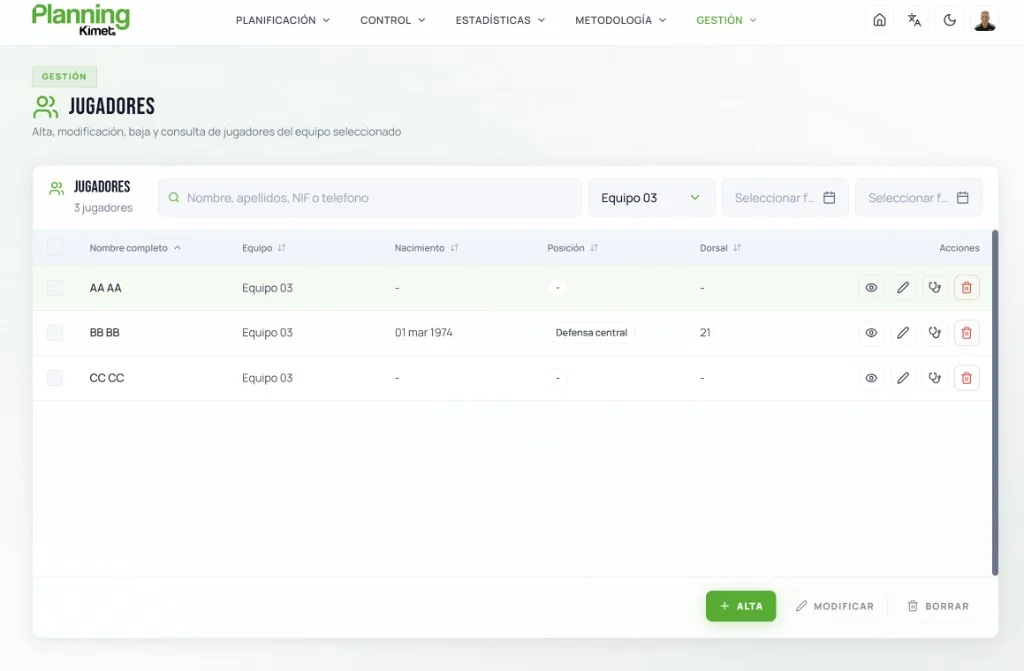
Kimet Planning 2.0 reorganizes the management sections so you can find the information you need more quickly in your day-to-day work. Players, competitions, calendars and resources are brought together in a simpler, more accessible structure for both coaching staff and club management.
Methodology
Methodology, closer to your daily work.
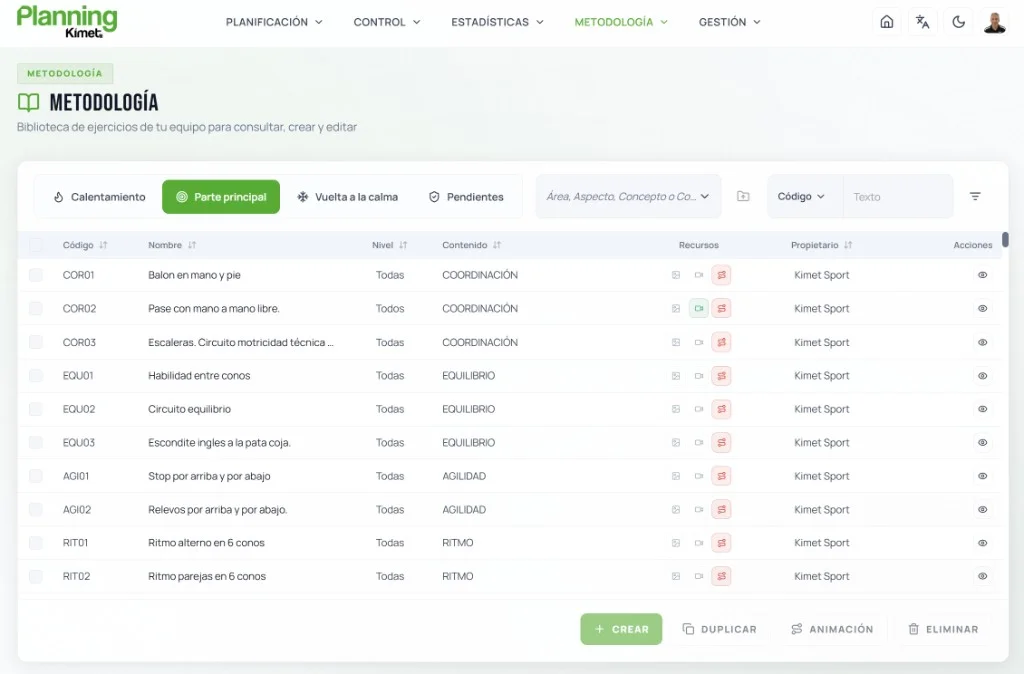
We have completely redesigned this section to make browsing content, sessions and structures faster and easier. New shortcuts let you move through the methodology with fewer clicks and get directly to the content you need. And if you want to expand your own library, creating new tasks is now easier. Add your own exercises quickly and continue developing your methodology without interruption.
More intuitive navigation.
More flexible viewing.
Faster task creation.
Frequently asked questions
Do I need to migrate my data to Kimet Planning 2.0?+
No. You don't need to migrate or reconfigure anything. Your account, teams, seasons and plans stay exactly as they are. Sign in with your usual account and pick up where you left off.
What changes with Kimet Planning 2.0?+
The interface and user experience change: clearer navigation and specific improvements to planning, control, statistics and methodology.
Do I need to create another account?+
No. Sign in with the same account you always use, from Kimet Planning 2.0 or from the Kimet Sport website if you linked your account or purchased your license there.
Can I go back to the previous version?+
Yes. For now, both versions are available side by side. Classic Kimet Planning will continue to work with the same access you use today, and you can move to Kimet Planning 2.0 whenever you want.
Can I use Kimet Planning 2.0 on any device?+
Yes. The new interface is designed for comfortable use on mobile, tablet and desktop.
Everything is ready to go
Sign in with your usual account.
Your data, plans and settings are right where you left them.